|
Installation:
This complete link
ships pre-configured for "out of the box" installation. No
configuration is required. Web based management allows for
adjustment of TX/RX power, Security type, signal strength/signal
noise reading, and real time throughput estimates.
Basic
Description:
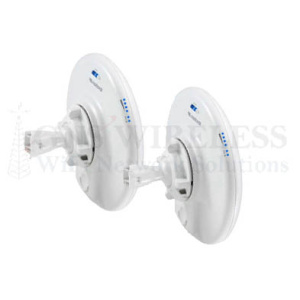
LigoWave offers
public safety officers a seamless 4.9 GHz point-to-point bridge
solution with the release of the LigoPTP 4-19/4-N integrated
backhaul device. Designed with mission-critical reliability in
mind, the 4.9GHz wireless, point to point bridge 4-19/4-N
delivers true TCP throughput up to 40 Mbps, at a
packets-per-second performance of 50,000 PPS.
Even in challenging RF conditions, the 4.9GHz wireless bridge
provides unparalleled performance by combining robust hardware
technologies and unique, industry-leading software mechanisms.
The LigoPTP 4-19/4-N product is perfect for public safety
applications, delivering wireless dedicated access or backhaul
solutions for police and fire departments, search and rescue
teams, and other government agencies.
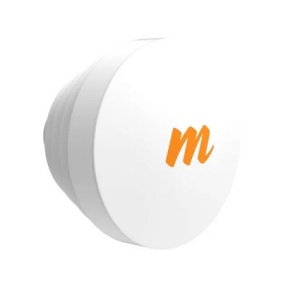
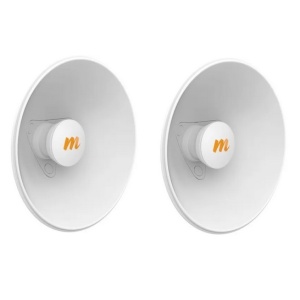
The LigoPTP 4-19/4-N product features an integrated 19 dBi
panel antenna, with narrow beam width to enable long-range,
rock-solid link connectivity.
The LigoPTP 4-19/4-N showcases an array of advanced software
mechanisms that provide optimal point-to-point connectivity for
high-throughput, long distance links. LigoWave’s proprietary PTP
mechanisms utilize techniques such as Dynamic Time Division
Duplexing (TDD) to dynamically allocate bandwidth in the
direction needed, thus increasing link efficiency and greatly
decreasing the impact that distance has on throughput of the
link. The LigoWave point-to-point products also feature
selective repeat ARQ technology, an enhanced error-correction
software mechanism that optimizes data traffic to provide
reliable, very high throughput over high-bandwidth, long-range
links even in the presence of interference.
The LigoPTP 4-19/4-N is also compatible with RCMS, a
centralized configuration, firmware, and statistics server
offered by LigoWave for carrier class diagnostic and
configuration management capabilities.
Connection to Network:
To connect the access
point to your network at each location, a single Cat5 Ethernet
cable is used. A 50ft. cable is included for each
location. (If you need more cable, a maximum length of up
to 200ft. can be used) The Cat5 Ethernet cable connects
directly from the outdoor access point using a weatherproof
grommet, to an indoor POE (Power-over-Ethernet) injector.
The POE injector plugs into a standard AC outlet for power, and
another Cat5 Ethernet cable connects from the POE injector to
your network (Router/PC/Switch etc.)
At the MAIN location,
you will typically connect to an open LAN port on the back of
your existing router, or switch. At the REMOTE location,
you can connect either directly to a PC if you only have a
single computer, or you can connect to an indoor wired/wireless
router. This will allow you to run multiple computers over
the wireless bridge. See Diagram below.
Maximum Range & Interference:
With clear, un-obstructed line of sight between your two
locations, a maximum range of 3 mile can be achieved using
this link. Please note that this Point to Point Wireless
Bridge operates between 4.94-4.99GHz. If you plan on
installing more then one link at the same location, you want to
avoid interference between each Point to Point link by using
separate channels.
Mount the outdoor access points as high as possible to further
avoid any other 4.9GHz interference.
Each access point has a 24dBm maximum
output power. This works great for long distance
Point-to-Point applications, as well as Client applications.
Power can be scaled back for closer installations to avoid
noise issues and to meet local regulatory requirements.
For applications that require transfer of very large files, video
transmission, or large amounts VoIP (Voice over IP) traffic, it is recommended that
you choose a FULL DUPLEX, 5GHz Point to Point link, which will
not only avoid all
4.9GHz interference, but offer much faster throughput, and lower
jitter rates. A full duplex, Point to Point Wireless Bridge
will also offer lower latency, which increases performance.
For distances less then 3 miles, use the following full duplex
link: GNS-LIGOPTP-PRO
Security Features:
This Wireless Point to Point bridge operates as a transparent
bridge. It is similar to an invisible Ethernet cable
connecting your two locations. It includes multiple
security options including WEP/WPA/WPA2. It also has
ability to enable MAC address authentication so that only the
two access points are able communicate. You can hide the
network SSID, and because the beam width of the antennas is
directional, (about 16°) the signal is not being broadcasted in
all directions, only in the direction you aim the outdoor
antenna.
If you have any other questions, please contact our
Pre-Sales/Technical Support Dept. at (516) 214-0321.
Ask us about
pre-configuration of these Access Points, so
they work "out of the box" and ready to
install on your local area network.
|
 |
For additional protection from
surges, or other surge induced electricity that
may travel through the Ethernet
cable, please use the inline
surge protector.
This would be placed inline between the outdoor
access point, and the indoor
POE
injector. It can be placed either outdoors, or
indoors.
Indoor/Outdoor Canopy
Surge Protector
Part#: 300SSB
Price: $32.99
|
|
-
More Robost
Routing Features: Includes Tunneling Protocol
Support, which will allow you to pass through VPN clients,
as well as use tunneling protocols such as VPN, PPTP, RSA
and others.
-
All New Access
Point Features: WDS will allow this Outdoor Access
Point to be wirelessly connected to other Access Points,
while still servicing clients. (Wireless Distribution
System)
-
Wi-Fi
Protected Access (WPA): Wireless Protected Access
improves on the security features of WEP. It includes
improved data encryption and user authentication, and AES
Encryption.
-
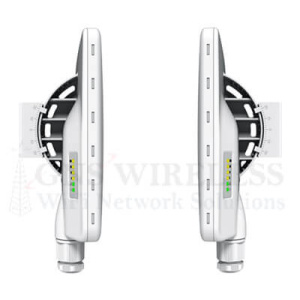
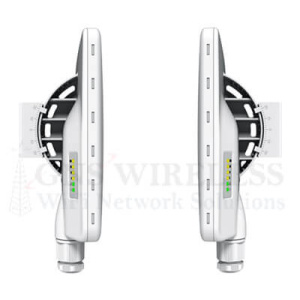
All New Client
Adapter Features: With this Outdoor Access Point,
you will be able to align your client and point-to-point
installations without having to log into the radio.
You will get visual signal strength at a glance by using
this great new feature, using the alignment LED's located on
the back of the Access Point.
-
Controllable
High Gain Output: Both radios have 24dBm maximum
output. This works great for long distance
Point-to-Point applications, as well as Client applications.
Power can be scaled back for closer installations to avoid
noise issues and to meet local regulatory requirements.
-
Wireless
Security: WEP, WPA wireless security is included
in this wireless backhaul. This will encrypt the data
being sent between the connection. Also included in
this wireless backhaul is AES encryption, which is a higher
level security feature then standard WEP/WPA. The two
radios can also be configured in PXP mode, which enables
only the two outdoor access points to communicate with each
other, avoiding any other access to the network. The
wireless bridge operates seamlessly as a Wireless Bridge
between your two locations.
-
Wireless
Interference: This wireless Ethernet Bridge is
operating at 4.9GHz. At most locations, this frequency
is used less frequently then the standard 802.11b/g, so
interference is usually minimized. If you experience
interference at this frequency, check that your antennas are
not mounted directly on a metal surface, have line of sight
between each other, and try changing the channel to one that
is available .
|
Antenna Specifications
|
|
Frequency Range: |
4.94-4.99 MHz FCC |
|
Gain: |
19 dBi Directional Patch
Antenna |
|
Polarization: |
Vertical or Horizontal |
|
AZ/EL Beamwidth: |
12°/12° |
|
Front to Back Ratio: |
26 dB |
|
VSWR 50 Ohm: |
< 1.5 |
|
Power Consumption: |
12W |
|
Size: |
13" x 13" x 3" |
|
Combined Weight: |
8 lbs with radio |
|
Connector: |
Outdoor RJ-45 All
Weather |
|
Mounting Kit/Style: |
Included: Pole Mount (1"
- 2.5" Diameter) |
|
Operating Temperature: |
-20°C to 60°C |
|
Material: |
ABS |
|
Additional Features: |
UV Stabilized |
|
Radio Specifications |
|
Standard Compliance: |
Proprietary W-Jet
protocol (40 Mbps) |
|
Modulation: |
BPSK, QPSK, 16QAM, 64QAM |
|
Channel Bandwidths: |
5/10/20MHz Selectable |
|
Frequency Band: |
4.94-4.99 MHz |
|
Data Rate: |
up to 40Mbps |
|
Output Power: |
up to 24 dBm -
Adjustable |
|
Receive Sensitivity: |
-92 to -75 dBm depending on modulation and channel size
|
|
Data Security: |
Hardware based AES |
|
DC Power Input: |
9 - 48 VDC Adapter, PoE
injector |
|
Max packets per second |
50,000 PPS |
|
Packet latency |
2 ms (64 bytes packet) |
|
Warranty |
1-Year |
Specifications are subject to change without
notice.
Subject to local regulations.
|
When
connecting the Outdoor Cat5 Ethernet cable to the access
point, the below image will illustrate how to feed the
cat5 cable through the weatherproof adapter, and into
the Ethernet port on the access point. Once
tightened, this will provide a weatherproof seal for the
RJ45 connector. Please contact us with any
questions.
|
|