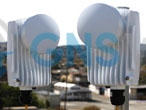
802.11AX Wireless Bridges (9)
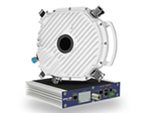
Point to Point Wireless Bridge packages supporting 802.11AX with speeds up to 5 Gbps. Various options available.
GNS Wireless offers complete Point to Point Wireless Network Bridge Kit packages that include everything you need to connect two or more locations together wirelessly, similar to using an invisible Ethernet cable. Share Internet, voice, video, or other data between your networks with a point to point wireless bridge kit. All GNS Wireless point-to-point microwave radio systems – licensed and license-exempt – are carrier-class systems offering guaranteed link availability, guaranteed throughput and low, constant latency. GNS Wireless stocks solutions that range in frequencies from 900MHz to 80 GHz and in capacities up to 1000 Mbps per channel, providing a range of point to point connection options to fit countless network applications.
Complete Wireless Bridge Kit:
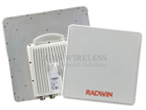
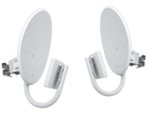
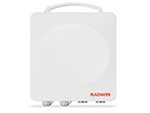
Our Outdoor Point to Point Wireless Bridge Kit is the best way to connect two locations separated from 100ft. to 10 miles. Whether you are on the same router, or on a completely different network scheme, does not matter. Short range wireless network bridge kits like the 5GHz Building to Building Wireless Bridge Kit will work for distances up to 1/2 mile. For longer distances up to 3 miles, and basic internet usage, the GNS-1142N will provide a commercial grade link.
Please view our pre-packaged point to point wireless network bridge kits below.
If you are unsure about which wireless bridge kit best meets your needs, please contact GNS Wireless directly at 877-209-5152.
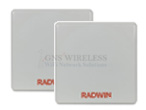
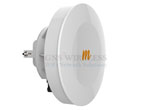
Which Wireless Network Bridge Kit should I use for my application?
When deciding to create a point to point wireless network bridge between your two buildings, it is important to first examine what you will be using the network link for. Will you have a large amount of voice/video, or data? If you are using the link for voice, how many phones? If you are using the point to point wireless network for video, what megapixel, and how many? Large data files can cause lag time when being shared over a residential grade point to point wireless bridge kit, so be hesitant on the lower grade antennas if you are sharing large files. Below are some basic recommendations, but if you want to be sure before purchasing, give us a call. We would be happy to help. Toll Free: 877-209-5152 or send an email to support@gnswireless.com.
We typically supply a 25ft. or 50ft. shielded cat5e Ethernet cable depending on the wireless bridge kit package. Up to 300ft. maximum cable length can be used. Connect this cable to the SOURCE WiFi Bridge antenna, then to the included POE injector, and then another short cat5e cable to an empty LAN port on your router. The Wireless Bridge then sends the secured signal to your second location wirelessly. The DESTINATION side of the antenna terminates with another Ethernet cable , connects to its POE injector, and then connects to your wireless router, switch, computer, or any other network device.
Internet/Network/File Sharing, etc., is now available at this remote location. Only power is required at the remote location to power the Bridge Antenna. Please NOTE, when connecting a secondary router (wired/wireless), you must configure it to not conflict with the main location router. Contact a GNS Wireless technician and we can explain further.
Be assured that the signal between the two locations of the point to point wireless network is very secure. Narrow beam width, high antenna mounting, latest security standards, and network filtering is applied.
The GNS Wireless pre-packaged, 802.11AC point to point kits ship pre-configured, and operate similar to a wireless Ethernet cable. These DIY point to point wireless bridge kits are very simple to install, and ship preconfigured for quick installation. No settings to adjust or software to install. Simply attach the antennas (included with the package) to each half of the bridge, at the separate locations, and power them on. For greater distances, optional larger antennas like the Point-To-Point Grid Antenna are used in long range point to point wireless bridge kits. Pair the 802.11ac bridge with the Teletronics TT2400-1000mW, and good line of sight and you have a 5 mile point to point connection...with no cable company to worry about. External LED lights on each wireless bridge antenna make it fast and simple to not only align the antennas, but to troubleshoot the wireless network in the future. Best of all, you have free email and phone support with GNS Wireless for the life of the units.
Point to Point WiFi Antenna:
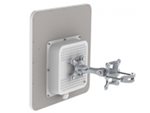
This 13dBi patch antenna is the best antenna we tested for point to point applications over short to medium distances. In our network tests, it provided a much stronger signal than other grid antennas claiming similar gain, and at a fraction of the size. This small patch antenna has a beam width of less than 20 degrees, which directs the Wi-Fi signal from point A to point B, and helps to prevent interference from the surrounding area. The antenna is a flat panel, with external N-Type Female connector. Customers in a variety of locations have paired this antenna with a Teletronics TT2400 wireless access point for distances up to 2 miles, operating at 2.4GHz. Please keep in mind that this point to point setup requires clear, unobstructed, line of sight for the best speed and reliability. Trees, buildings, or a physical land mass will reduce or eliminate the outdoor wireless bridge's connection. If you are in a very busy 2.4GHz wireless area, then upgrading to a 5GHz wireless network is highly recommended to avoid interference. Please note that coaxial cables and wireless access points are not included.
If you have any questions regarding our pre-packaged wireless bridge kits or wireless network bridges, please contact GNS Wireless at 877-209-5152 or click here to send an email to support@gnswireless.com.