

It is sometimes hard to business owners to realize that their technology components have a lifespan. Sometimes these tools will wear out before they become obsolete. Given the variables, it is not possible to determine when and if a piece of equipment will fail, but for some components, there are warning signs that failure is imminent.
A leading cause of wireless router failure, for example, is that a business cut corners by purchasing a consumer-grade router, rather than commercial-grade equipment. Specifically, heat stress can destroy WiFi components. Consumer-grade hardware runs too hot and in a commercial setting, its ventilation requirements relative to air circulation will not be met. Even some commercial-grade components will experience premature failure if operated in full sun, in a dusty environment, or in a setting where there is continuous vibration.
How to Avoid Router Failure
Troubleshooting WiFi components, for example, is relatively easy to perform. If your network has experienced outages due to an overheated router, reset the router and modem. If the issue returns after a few hours run-time, then your router is either inadequate for the network it now serves, or it is near the end of its working lifetime.
Over the course of troubleshooting WiFi components, you may have discovered how-to instructions that are in fact, not much more than band-aid fixes. The wireless professionals at GNS Wireless recommend that you do not waste time trying to prolong the service life of your router. Your network cannot afford downtime, so at the first sign of issues with your router, contact our team to help determine the best replacement for your network and your business. We’re here to help at (877) 209-5152.
You’ve seen those commercials on TV where everyone in the family wants to use the Internet signal at the same time?
Dad is finishing up some office work, mom is checking her emails, their daughter is texting her boyfriend, and their son is playing video games. Or, more likely, everyone is trying to use the internet at the same time, with mixed results. This is often the issue for businesses as well, especially those in office complexes. Their lease may provide WiFi service, however at peak usage periods, with every business in the building accessing the internet at the same time, how effective can it be? Can a wireless router be overloaded?

The two major components of any wireless system are its router and modem. These work together to disperse the network’s internet signal to every user. If more users than the system can accommodate attempt to access it at the same time, the wireless and wired network routers can become overloaded. Here are some simple tests that may be performed to determine if a slow internet is a single event or a sign that it is time to upgrade to a router that can handle increased bandwidth. Enlist your staffers for a quick test. Turn on every device that uses the internet at the same time, and check load times for an internet search. This will help determine the router’s overall capacity. A slow and sluggish load time response most likely indicates router overload.
If your router passes the ‘everybody into the boat’ test for a general search, try live streaming next. If you encounter choppy images and long buffering times, you guessed it, your wireless router is overloaded. Just in case both of these tests proved inconclusive, the issue could be caused at a different time of day.
Try keeping a log of internet outages, slow load times, and chopping streaming experiences for a week or two. You may begin to notice a pattern in your router’s signal, that it is weaker at certain times of the day, for example. Most often these tests and outage logs indicate the need for an upgraded wireless router. To ensure that your business does not encounter these difficulties for the foreseeable future, speak to our knowledgeable staff at GNS Wireless.
We’re here to assist you to purchase just the right equipment for your business. Give us a call today at (877) 209-5152.
Let’s explore the best wireless bridge networks available and understand when each shines, ensuring you make the right choice for your specific needs.
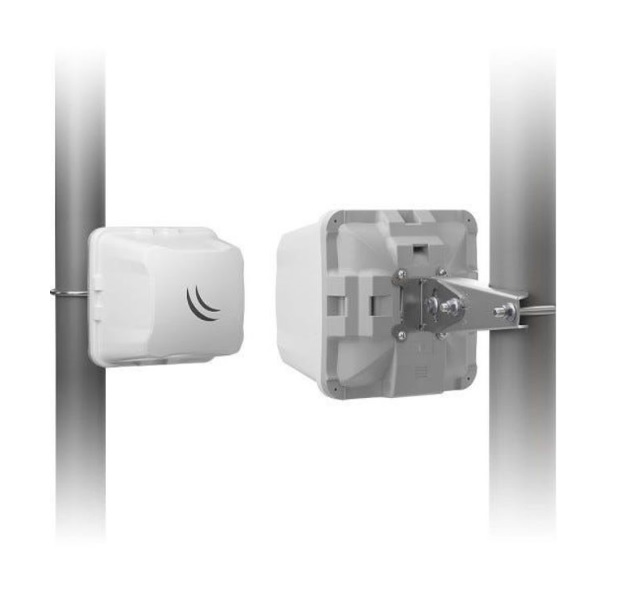
In the past, wired networks expanded by simply stringing together additional lengths of cable to hook up additional desktops, Internet TVs in conference rooms, media players, and other business tools. Today, smartphones, tablets, and laptops are used during business meetings and by staffers on the go. The best way to resolve this network expansion issue for a wired network is by first upgrading to a wireless bridge network. Wireless networks are easily scalable and will continue to grow as your business grows. When the time comes there may be further expanded at a relatively low cost.
One of the most common questions we are asked is: “How do I extend the range of my wireless network?. Although there are many different ways to get better range from your Wi-Fi router or access point, GNS Wireless will detail below some of the most effecient ways to get better Wi-Fi signal.
Upgrade to a higher gain antenna: Although this seems like the most common way to get better wireless network range, you want to make sure you use the correct antenna. By using a higher gain antenna you can extend your wireless signal range, but it depends on what type of transmit power your router/access point has, where you are installing the antenna, and long of a coaxial cable you need to install it correctly. Some things to consider when using a higher gain antenna include potential loss of vertical signal coverage. Typically when you increase the gain on an antenna the RF gain pattern becomes more focused and produces a narrower horizontal beam. Installing a high gain omni-directional antenna on a hill, and you will certainly have a dead spot underneath. For campgrounds, marinas, and RV parks, one of the most popular hotspot packages we sell, is the GNS-1485. This includes a sectorized panel antenna which helps broadcast a strong signal within a 120-180 degree area, and penetrates trees and RV’s with ease. You can point the antenan exactly where you need the signal and with minimal effort your wireless network will gain new life. Read more about our pre-packaged hotspot setups here.
Install a WiFi amplifier: By adding a Wi-Fi amplifier to your wireless router, or access point you can boost your wireless signal and increase wireless network range. GNS Wireless sells pre-packaged WiFi booster kits that are available for purchase by anyone in the United States or Canada without the need for a special FCC license. These kits are license free, and operate in the 2.4GHz, or 5GHz range. They typically include everything you need to extend the range of your network. The most popular scenerios are campground WiFi, Marina Wireless Networks, and RV Park Hotspot setups. These kits offer easy set up and strong signal extension and coverage capabilities. GNS Wireless offers technical support, pre-configuration services, and custom programming to all your equipment. Additionally we sell individual RF amplifiers for export, military and FCC licensed users supporting frequencies ranging from 900 MHz to 5.8 GHz.
Upgrade to 802.11N or 802.11AC: To put it simply, if you are still using the older 802.11B (11Mbps), or 802.11G (54Mbps), it is time to upgrade. The newer 802.11N, and 802.11AC offer both increased range, and reliability for your ongoing wireless network. If you are currently using older 802.11 standard access points and wireless adapters, consider upgrading to the latest IEEE standards, 802.11n or 802.11ac. These newer standards offer better range and speed than older standards products.
Use a higher power Access Point: A typical residential Wi-Fi router or Access Point provides about 30mW to 100mW of transmit power. When upgrading to a higher power access point or router you can boost your wireless signal resulting in extended coverage. GNS Wireless offers outdoor access points with up to 1000mW of transmit power. When combined with the correct panel or omni-directional antenna, your wireless network becomes more stable, and can penetrate near by obstructions such as trees in a campground or RV Park.
GNS Wireless can assist in product selection, support and installation as well as any questions you may have regarding increasing the range of your wireless network. For questions, or for a free consultation, please contact us at (877) 209-5152, or send an email to support@gnswireless.com.