
MARINA WIFI ENGINEERING GUIDE · GNS WIRELESS
Why Marina WiFi Works on the Dock but Buffers Below Deck
Why a guest can connect outdoors but still struggle to stream video on a boat—and what marina owners can do about it.
A guest standing outside on a marina dock may connect to an access point 400 feet away. They might check email, look at the weather or browse a website. The WiFi appears to work.
Now fill the marina with 100 boats. Guests are using smart TVs, phones and tablets, and someone heads below deck to stream a hockey game. A connection that looked acceptable outside may suddenly buffer or drop.
This difference between seeing a WiFi signal and having enough usable performance for streaming is one of the most common reasons marina owners contact GNS Wireless about upgrades.
COVERAGE VS. PERFORMANCE
Why a Strong-Looking Signal Can Still Disappoint
WiFi coverage is only one part of network performance. A distant client can have a marginal connection that uses slower transmission rates and more airtime. When many guests share the network, that inefficiency matters.
Larger boats introduce more obstacles: multiple decks, neighboring hulls, equipment and interior structures can all reduce usable signal.
A television below deck may also have a different radio and antenna than the phone that connected successfully outside. The available internet service and the capacity of the dock’s connection back to the clubhouse matter, too.
FIELD-TESTED PLANNING GUIDELINE
Why GNS Designs Around 125 Feet
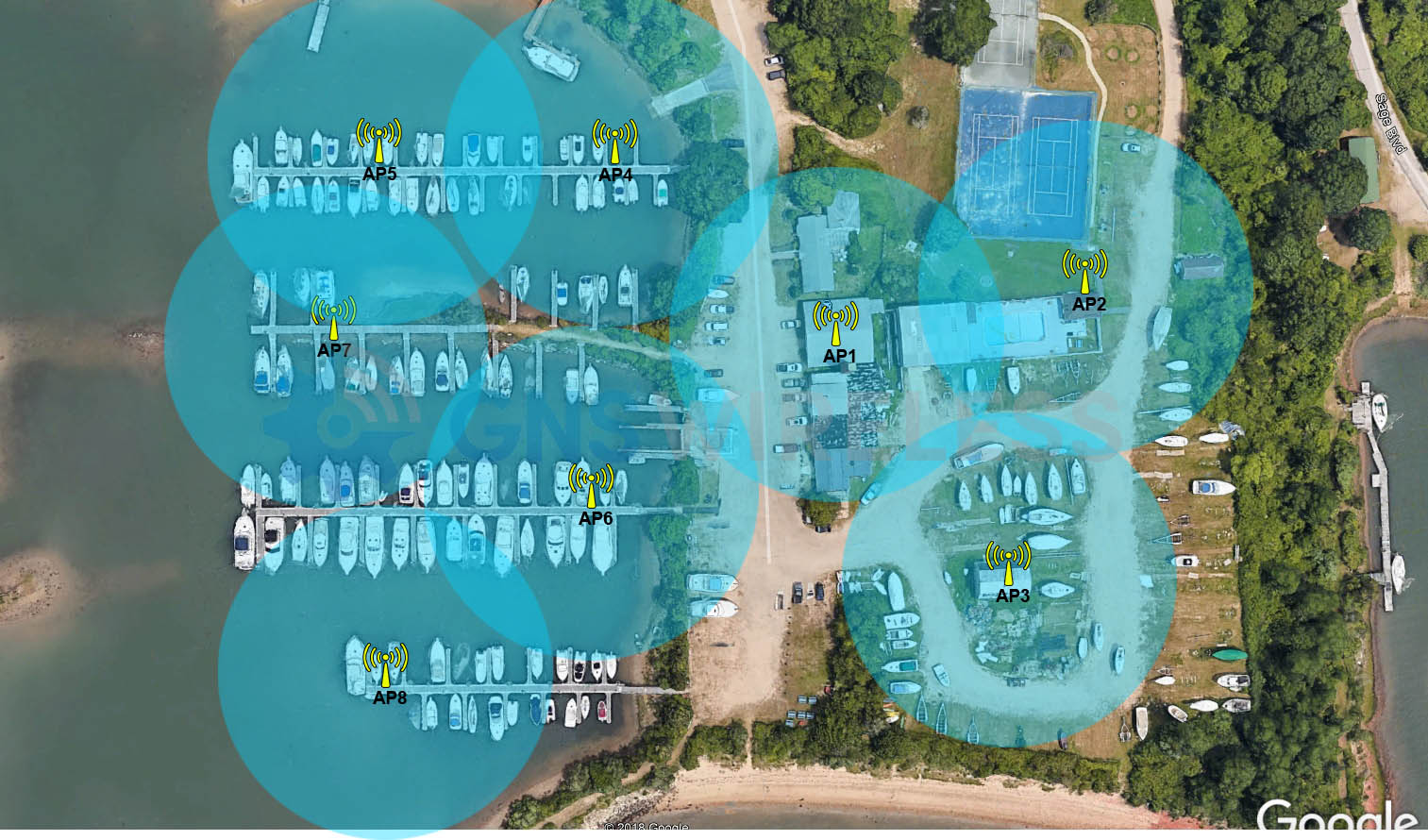
Based on our marina installation experience, GNS Wireless now plans most access point locations so guest devices are typically within approximately 125 feet of a nearby outdoor access point.
Outdoor connections may work several hundred feet away. Closer placement is intended to improve usable performance for bandwidth-intensive applications. We consider slip spacing, vessel sizes, anticipated occupancy, AP mounting locations, obstructions and expected guest behavior.
Designing Around the Docks, Not a Range Claim
A satellite view helps identify the clubhouse, individual piers, slip density and possible mounting locations before we determine where radios should go.
We then consider larger vessels, likely below-deck usage and the path back to the office. The 125-foot guideline is a practical starting point, not a guarantee of coverage inside every boat.
For more information about our equipment selection and design approach, see our commercial marina WiFi solutions.
CLUBHOUSE TO DOCK
Why Wireless Backhaul Matters as Much as the Access Point
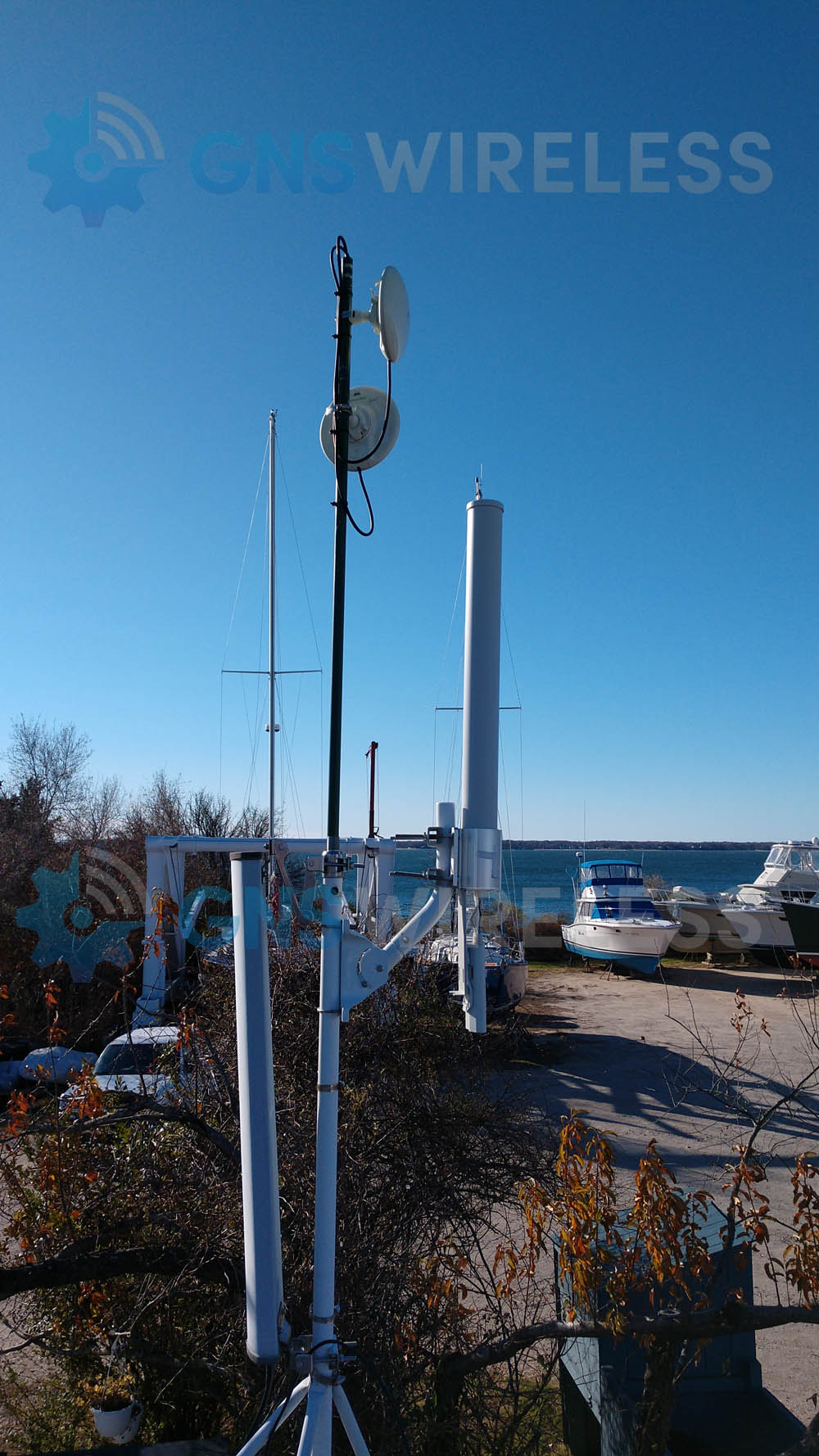
An access point with a good signal cannot compensate for a congested connection back to the office. GNS typically uses dedicated point-to-point or point-to-multipoint wireless bridges to reach remote docks, reserving AP-to-AP repeating for selected lower-demand locations.
Depending on distance and clear radio paths, a 5 GHz or 60 GHz bridge can provide high-capacity connectivity without running a continuous data cable from the clubhouse. Wired fiber or Ethernet remains an excellent option when practical.
The Office Is the Starting Point
At BC Marina, the main office and AP1 provide a useful example of the central network location. From this point, a design can distribute connectivity to remote dock equipment using dedicated wireless links where appropriate.
The exact antenna locations and link paths must be confirmed on site. A photograph alone does not establish line of sight, throughput or coverage.
GUEST CAPACITY AND SUPPORT
Plan for the Busy Weekend, Not the Empty Dock
We review the marina’s incoming internet speed, number of slips, expected overnight and seasonal guests, and likely simultaneous usage. Adjustable bandwidth limits can help prevent one device from consuming an unfair share of the available connection.
After deployment, the work doesn’t necessarily stop. On supported equipment, authorized cloud access can help identify offline access points, investigate connectivity problems and adjust network settings.
Marina operators who want ongoing assistance can review our Commercial WiFi Support & Maintenance options.
No outdoor AP placement can guarantee streaming below every deck on every vessel. A particularly shielded cabin may require a separate onboard solution. But thoughtful placement, commercial equipment, high-capacity backhaul and traffic management give the marina a much better starting point.
MORE WAYS TO IMPROVE DOCK WIFI
Get Help Designing the Right Marina Network
GNS Wireless assists with site-specific network design, preconfigured equipment, wiring diagrams, guided DIY installations and, where available, turnkey installation.
Explore Marina WiFi Solutions for equipment and nationwide design assistance.
Need hands-on help? Learn about Northeast Marina WiFi Installation for Long Island, Fire Island and surrounding waterfront communities.