
You just had Starlink installed at your house — and now you want that same fast internet inside a shed 500 feet away.
You need:
-
WiFi inside the shed
-
Cameras streaming reliably
-
A TV for streaming
-
Possibly VoIP or voice services
-
At least 300 Mbps, ideally up to 1 Gigabit
-
No trenching. No fiber. No running cable.
This is one of the most common calls we receive at GNS Wireless.
The solution? A point-to-point wireless bridge.
And for this distance and performance requirement, the clear recommendation is the GNS-5660 60 GHz Wireless Bridge.
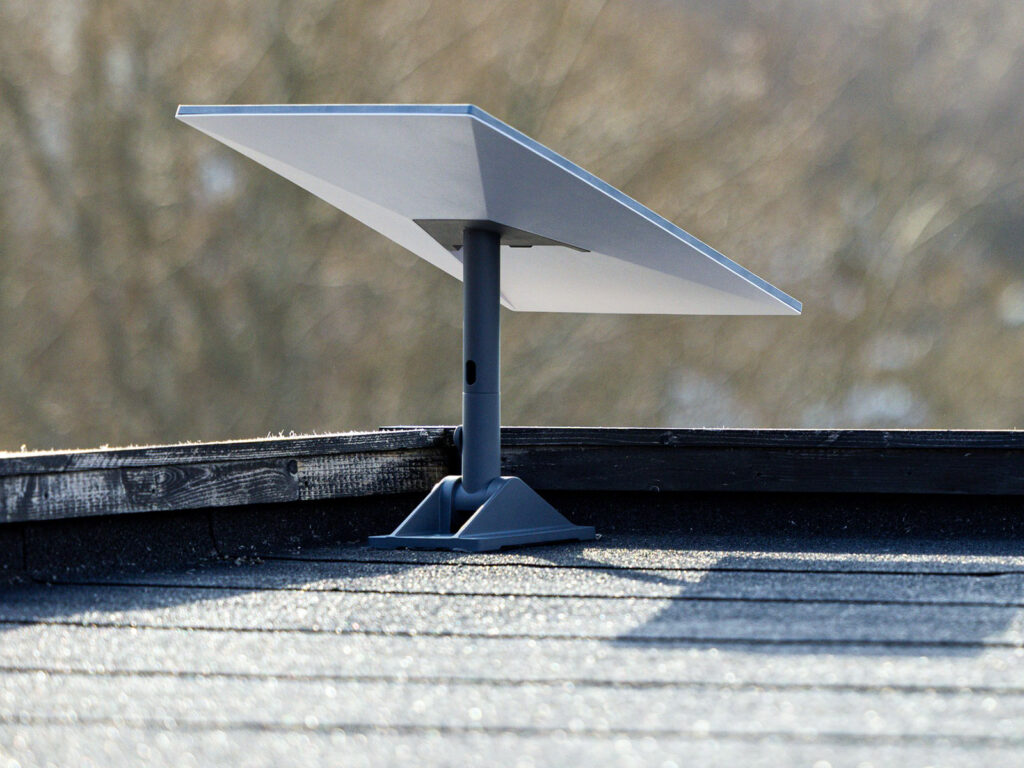
The Best Way to Share Starlink to a Shed: 60 GHz Wireless Bridge
A point-to-point bridge creates a dedicated wireless link between two buildings. One radio mounts at the house (where Starlink is), and one mounts at the shed. They point at each other and create a private high-speed connection.
Think of it as an invisible Ethernet cable in the air.
Why the GNS-5660 Is the Right Solution
The GNS-5660 uses 60 GHz millimeter wave technology, which is ideal for short-range, high-speed building-to-building links like this.
✔ Supports Up to 1 Gbps Throughput
-
Perfect for gigabit Starlink plans
-
Easily handles 300–600 Mbps real-world traffic
-
Supports streaming TVs, 4K cameras, gaming, and VoIP
✔ Immune to 5 GHz Interference
If you’re in:
-
A neighborhood
-
A campground
-
A rural property with nearby WISPs
-
Anywhere with crowded 5 GHz WiFi
60 GHz operates in a clean spectrum band, avoiding interference issues common with 5 GHz equipment.
✔ Plug-and-Play & Pre-Configured
We ship the GNS-5660:
-
Pre-paired
-
Pre-configured
-
Ready to mount
-
With external LED signal indicators for easy aiming
No complex programming required.
✔ Perfect for 500 ft Distance
60 GHz performs best under 1/2 mile.
At 500 feet with clear line of sight, it’s ideal.
What About a Cheaper Option?
Yes — we offer one.
The GNS-1163AC 5 GHz Wireless Bridge is a budget-friendly alternative.
When the 1163AC Makes Sense:
-
Light camera usage
-
Basic internet extension
-
Lower bandwidth needs
-
Minimal nearby WiFi congestion
Important Limitations:
-
Does NOT reliably support VoIP/voice
-
More susceptible to interference
-
Not ideal in dense 5 GHz environments
-
Lower maximum throughput
If you’re serious about performance, stability, and future-proofing — the GNS-5660 is the better investment.
Typical Setup for a Shed Installation
At the House:
Starlink → Router → GNS-5660 Radio
At the Shed:
GNS-5660 Radio → Switch or WiFi Access Point → Cameras / TV / Devices
You can:
-
Install a WiFi access point inside the shed
-
Hardwire cameras
-
Stream TV
-
Run smart devices
-
Even support VoIP (with the 5660)
Why 60 GHz Is Superior for This Application
| Feature | 5 GHz Bridge | 60 GHz GNS-5660 |
|---|---|---|
| Speed | Moderate | Up to 1 Gbps |
| Interference Resistance | Moderate | Excellent |
| VoIP Support | Not Recommended | Fully Supported |
| Stability | Depends on environment | Very High |
| Future Proof | Limited | Yes |
If there are multiple 5 GHz networks nearby, skip the frustration — go 60 GHz.
Why Buy From GNS Wireless?
You are not buying a random box from Amazon.
You’re getting:
✔ Pre-Configured Equipment
No guessing. No YouTube university required.
✔ Over-the-Phone Setup Support
We walk you through installation.
✔ Email & Remote Support
Need help? We answer.
✔ In Stock & Ready to Ship
No long lead times.
✔ Real Installation Experience
We install these systems ourselves — at:
-
Campgrounds
-
RV parks
-
Farms
-
Scrap yards
-
Marinas
-
Residential properties
We know what works in the real world.
Frequently Asked Questions
Can I run 4K security cameras over this link?
Yes — the GNS-5660 easily supports multiple 4K streams.
Will weather affect 60 GHz?
At 500 feet, performance impact is negligible in normal weather conditions.
Does this replace WiFi inside the shed?
No — it delivers internet to the shed. You still install a WiFi access point inside.
Is line of sight required?
Yes. Clear line of sight between buildings is required.
Can this support a gigabit Starlink plan?
Yes — the GNS-5660 is designed specifically for high-throughput applications.
Final Recommendation
If you just invested in Starlink, don’t bottleneck it with outdated 5 GHz gear.
For 500 feet, high reliability, camera streaming, TV, and voice —
the GNS-5660 60 GHz bridge is the correct solution.
Call GNS Wireless Today:
📞 (877) 209-5152
📧 Email Our Support Team | support@gnswireless.com
💬 Talk to a Real Installer — Not a Chatbot
We’ll confirm:
-
Distance
-
Mounting options
-
Power availability
-
Router compatibility
And ship a pre-configured, ready-to-install system directly to you.
Need to connect internet from your house to a detached garage, shed, barn, or workshop?
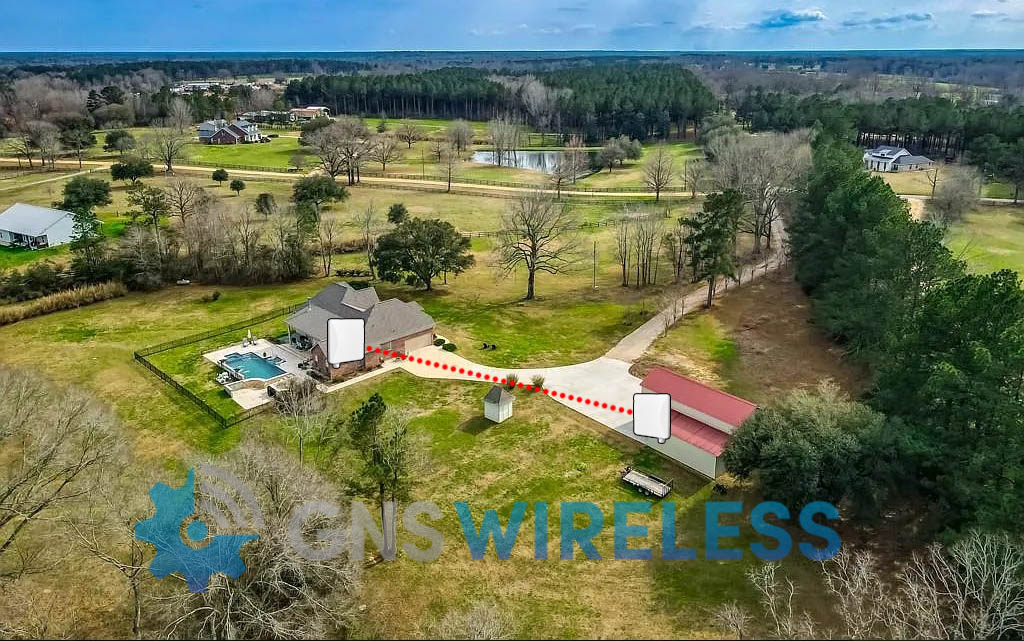
Our Budget Outdoor Wireless Bridge Kit is the most affordable way to create a reliable building-to-building connection without trenching cable.
This kit is ideal for customers who want the lowest price point—but still want something designed for outdoor use and backed by real support.
What This Wireless Bridge Kit Does
This kit creates a dedicated point-to-point wireless link so you can:
-
extend internet to a remote building
-
connect two networks wirelessly
-
stream video or run a Smart TV
-
support basic camera traffic (light to moderate loads)
Think of it like a “wireless Ethernet cable” between two buildings.
Best Use Cases (Perfect Fit)
This budget bridge is best when you have:
✅ Short distance between buildings
✅ Clear line-of-sight
✅ Basic internet needs
✅ A tight budget
✅ A simple “just get it connected” goal
Common installs include:
-
house → garage
-
house → shed
-
small shop → office
-
outbuilding connectivity
What to Expect (Honest Performance Notes)
This is our lowest-cost bridge option, so it’s important to match it to the right job.
Choose this kit if:
-
you want the cheapest reliable solution
-
your link is straightforward and open
Upgrade if:
-
you have trees or obstructions
-
you need higher throughput for multiple cameras
-
you want the most stable “set it and forget it” performance
👉 Recommended upgrade: GNS-5660 High-Performance Wireless Bridge
Why Buy From GNS Wireless?
Most buyers come to us after trying cheaper options and getting stuck.
When you buy from GNS Wireless, you get:
-
Real product guidance before purchase
-
Help selecting the right solution for your distance and layout
-
Support from a team that answers the phone
-
A bridge kit that’s meant for outdoor networking
You’re not just buying hardware — you’re buying a solution.
Ready to Connect Two Buildings?
If you want the lowest-cost outdoor wireless bridge kit that can connect two nearby locations reliably, this is the right starting point.
👉 Order the Budget Outdoor Wireless Bridge Kit (GNS-1193AC) today.
FAQ
What is included in the budget wireless bridge kit?
This kit includes two outdoor bridge units designed to connect two locations wirelessly and extend your network. POE Injectors, US Line Cord, 25ft. cat5 cable per antenna, configuration datasheet, and technical support anytime you need it.
Can I use this to get internet to my garage or shed?
Yes. This is one of the most common use cases, especially with clear line-of-sight.
Does it require a monthly subscription?
No. Once installed, the link works without monthly fees.
Will this work if I have trees in the way?
Trees can reduce performance or prevent the link from working reliably. If you don’t have clear line-of-sight, we recommend upgrading to a stronger solution.
Can this handle cameras?
It can handle light camera use. For multiple cameras or higher bitrate video, upgrade to a higher performance bridge.
Mimosa B5 Installation Case Study: Point-to-Point Wireless for 4K Camera Backhaul
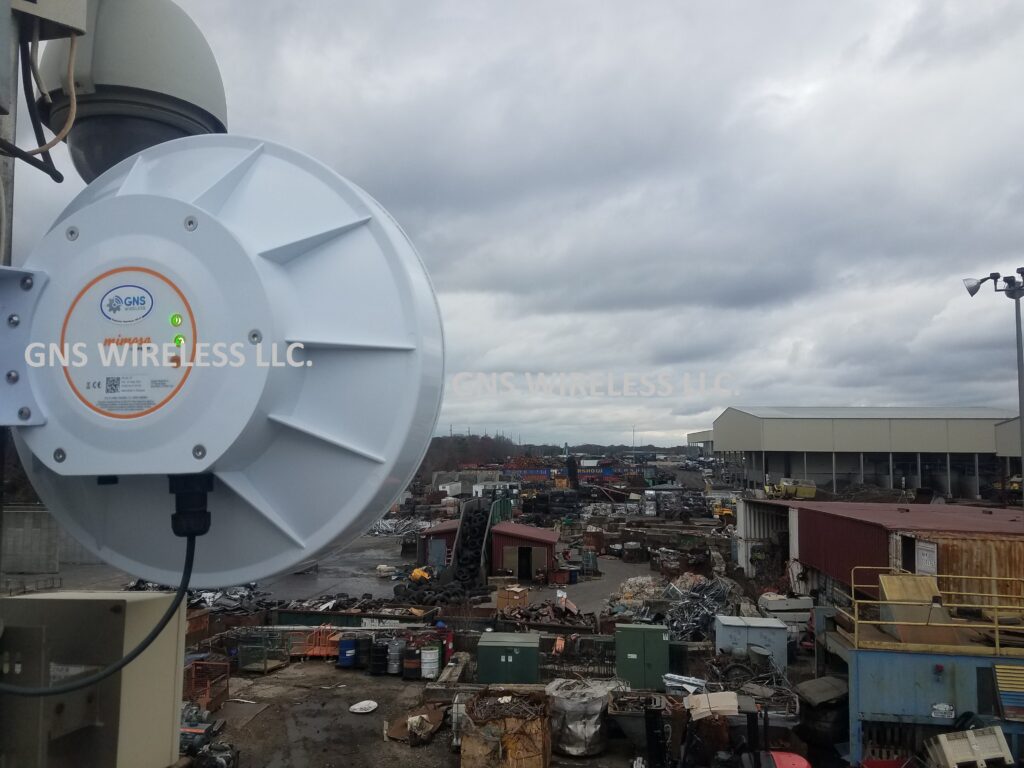
Designing a reliable point-to-point wireless installation for a large industrial site is very different from deploying radios in a clean, rural RF environment. This Mimosa B5 installation was completed at a large construction and recycling yard, where the customer required extremely high reliability and sustained throughput to support dozens of real-time 4K security camera streams.
For this project, GNS Wireless deployed the Mimosa B5 as a short-range point-to-point wireless backhaul solution connecting multiple areas of the yard.
Project Overview: Industrial Wireless Camera Backhaul
-
Application: Wireless backhaul for 4K security cameras
-
Industry: Construction & recycling
-
Technology: 5 GHz point-to-point wireless
-
Line of Sight: Clear LOS on both links
-
RF Environment: Heavy 5 GHz interference
-
Network Role: Core transport for live video monitoring
Link Distances
-
Link #1: ~¼ mile
-
Link #2: ~⅓ mile
These distances fall squarely into what GNS considers the ideal range for short-range point-to-point wireless, especially in noisy industrial environments.
Why This Network Was Demanding
This was not a casual data link.
The customer relied on these links for:
-
Real-time monitoring of dozens of 4K cameras
-
Continuous video streaming with no buffering
-
Reliable recording and playback
-
Low latency for operational awareness
This type of industrial wireless camera backhaul demands:
-
Sustained throughput
-
Stable modulation
-
Minimal packet loss
-
Zero random link drops
Installation Challenges: Signal Levels & RF Saturation

Initial Power-Up Observations
When the Mimosa B5 radios were first powered on and the point-to-point links were established:
-
Signal levels were too strong, measuring in the low –30 dBm range
-
Radios were effectively running hot
-
Excessive signal strength can reduce link efficiency and long-term stability
This is a common issue in short-range point-to-point wireless installations, particularly when using high-gain integrated antennas with clear line of sight.
AUTO Configuration vs Manual Tuning
The Mimosa B5 allows installers to select an AUTO configuration mode, where the radio automatically chooses:
-
Channel
-
Channel width
-
Transmit power
-
Based on an RF scan
While AUTO mode is convenient, it is rarely optimal for high-throughput industrial wireless backhaul, especially when:
-
RF interference is heavy
-
Camera traffic is continuous
-
Latency consistency matters
Manual Configuration Strategy
For this Mimosa B5 point-to-point deployment, GNS Wireless manually adjusted:
-
Transmit power (to bring signal levels out of the –30s)
-
Channel selection
-
Channel width
This approach allowed us to:
-
Reduce RF saturation
-
Improve modulation stability
-
Maintain consistent throughput for video traffic
Channel Width & Duplex Mode Optimization
The Mimosa B5 offers flexibility beyond a standard setup:
-
Standard 80 MHz channel
-
Full Duplex 80 MHz mode, which provides:
-
Higher usable capacity
-
Lower latency
-
Better performance for video-heavy applications
-
Final Configuration (The Sweet Spot)
After testing multiple options, both links performed best with:
-
Operating frequency: Lower 5 GHz range (~5300 MHz)
-
Channel width: Full Duplex 80 MHz
-
Transmit power: Manually reduced for optimal RSSI
This configuration delivered the most stable short-range point-to-point wireless performance in a heavily congested RF environment.
Real-World Mimosa B5 Throughput Results
With the links properly tuned:
-
Observed sustained throughput: ~500 Mbps
-
Stable performance under continuous load
-
Reliable transport for multiple simultaneous 4K video streams
Important Throughput Reality
Even at short distances:
-
Full gigabit capacity was not achievable
-
RF noise and interference capped usable throughput
This is an important takeaway for anyone planning a Mimosa B5 installation for cameras.
Distance Guidance: What GNS Wireless Recommends
Based on this deployment and extensive field experience:
✅ Ideal Use Case
-
¼ mile
-
Clear line of sight
-
Wireless backhaul for 4K security cameras
⚠️ Acceptable With Care
-
Up to ½ mile, with:
-
Excellent LOS
-
Manual tuning
-
Realistic throughput expectations
-
❌ Not Recommended
-
Beyond ½ mile
-
Non-line-of-sight paths
-
Applications requiring guaranteed gigabit throughput
Unless you are operating in an extremely clean RF environment, the Mimosa B5 should be viewed as a short-range point-to-point wireless solution, not a long-haul backhaul radio.
Why GNS Wireless Was Chosen
This project succeeded because the network was engineered, not guessed.
GNS Wireless Services Include:
-
Pre-configured Mimosa B5 radios
-
RF planning and channel selection
-
Manual power and channel optimization
-
Professional point-to-point wireless installation
-
U.S.-based technical support
Product & Services
-
🔗 Mimosa B5 Point-to-Point Wireless Antenna
👉 Available on gnswireless.com -
⚙️ Pre-Configuration Available
Optimized before shipment for your distance, RF environment, and application. -
📡 Installation Services Available
Ideal for construction sites, recycling yards, and industrial camera networks.
Final Takeaway
This Mimosa B5 installation case study demonstrates an important truth:
Short-range point-to-point wireless can deliver excellent real-world performance — but only when it’s properly tuned.
For industrial wireless camera backhaul, design discipline matters more than spec sheets.
👉 Contact GNS Wireless to design, pre-configure, and install a point-to-point wireless solution that performs in the real world — not just on paper.
How to Factory Reset the Cambium V1000 cnWave
What Is a Cambium V1000 Reset?
The Cambium V1000 is a 60 GHz cnWave wireless device often used for high-throughput backhaul links. Resetting can mean:
-
Soft reset: restart unit without changing configuration
-
Factory reset: erase custom settings and restore defaults
-
Recovery mode: for units that won’t boot normally or after failed firmware update
This article focuses on factory and recovery procedures.
🔧 Standard Factory Reset (Recovery Mode)
Please Note: The Cambium V1000 does not have an internal reset button. Use the following procedure to correctly reset the cnWave if you have forgotton the IP address or have misplaced the UN/PW for GUI access.
1. Prepare Your Laptop
-
Connect laptop directly to the V1000 via Ethernet + PoE injector.
-
Set your laptop to a static IP on the 169.254.x.x range (e.g.,
169.254.1.100/255.255.0.0).
2. Enter Recovery Mode
-
Ensure the unit is powered OFF.
-
Turn it ON and wait ~120 seconds for the initial boot.
-
Then power cycle the unit again quickly (OFF then back ON within ~5 seconds).
3. Access the Recovery Interface
-
In a browser, go to:
👉 http://169.254.1.1
(Note: usehttp://, nothttps://in recovery mode).
4. Factory Reset
-
On the recovery page, look for “Factory Reset” and confirm.
-
The device will erase custom settings and restore defaults.
✅ Tip: If you see a solid green LED and the browser can’t reach the page, ping the link-local IPv6 address that corresponds to the radio’s MAC — some users access this to trigger management access
Troubleshooting & Common Issues
❗ Recovery Not Accessible?
-
Make sure your laptop’s IP is in the 169.254.0.0/16 range (no DHCP).
-
Ensure your browser isn’t adding https:// automatically.
🔄 Units Not Responding After Reset?
-
Try power cycling manually (remove and re-apply power).
-
In stubborn cases, confirm recovery LEDs and retry.
📌 After Reset — What to Expect
Once the V1000 is reset:
-
Its IP/GUI credentials revert to factory defaults. (169.254.1.1 admin/admin)
-
You’ll need to reconfigure network settings or reconnect it to your cnMaestro controller or E2E solution.
-
For security, set new admin password before putting into production.
⚠️ Notes & Best Practices
-
Always back up any configuration before resetting.
-
If the unit was “bricked” after a firmware upgrade, recovery mode is your best bet.
-
Firmware might need re-installation after factory reset in complex setups.
Outdoor Network Enclosures: How to Choose the Best Weatherproof Option for Your Equipment
Outdoor networking equipment faces constant exposure to weather, temperature swings, dust, and physical wear. Without proper protection, Wi-Fi access points, PoE switches, wireless bridges, and power equipment are vulnerable to failure. That’s why outdoor network enclosures are a critical part of any reliable outdoor deployment.
Unlike generic electrical boxes, a weatherproof network enclosure is specifically designed to protect sensitive networking gear in real-world outdoor environments — from campgrounds and marinas to farms, industrial yards, and remote properties. This guide explains how to choose the right enclosure for your application, what features matter most, and how to ensure long-term performance.
Why Outdoor Network Enclosures Are Essential
Network equipment is built for performance, not exposure. When installed outdoors without proper protection, even commercial-grade hardware can suffer from moisture intrusion, overheating, corrosion, or pest damage.
A properly selected outdoor enclosure for WiFi equipment protects against:
-
Rain, snow, and condensation
-
Wind-driven dust and debris
-
UV exposure and direct sunlight
-
Insects, rodents, and airborne contaminants
-
Temperature extremes that shorten equipment lifespan
Using a dedicated outdoor network cabinet dramatically reduces downtime, service calls, and premature equipment replacement — especially in environments where uptime matters.
Understanding NEMA and IP Ratings for Outdoor Networking
Environmental ratings define how well an enclosure protects your equipment. For outdoor networking applications, NEMA ratings are the most commonly referenced standard in North America.
Common options include:
-
NEMA 3R – Suitable for basic outdoor exposure and rain protection
-
NEMA 4 / 4X – Designed for harsher environments with wind-driven rain, dust, and corrosion resistance
Selecting the right NEMA enclosure for networking equipment ensures your hardware remains protected year-round, even in challenging climates or coastal environments.
Key Features to Look for in Outdoor Network Enclosures
Weatherproof Materials and Sealing
A high-quality weatherproof network enclosure should use corrosion-resistant materials, UV-stabilized finishes, and tight gasketing to prevent moisture and dust intrusion. Poor seals are one of the most common causes of outdoor equipment failure.
Proper Sizing for Network Equipment
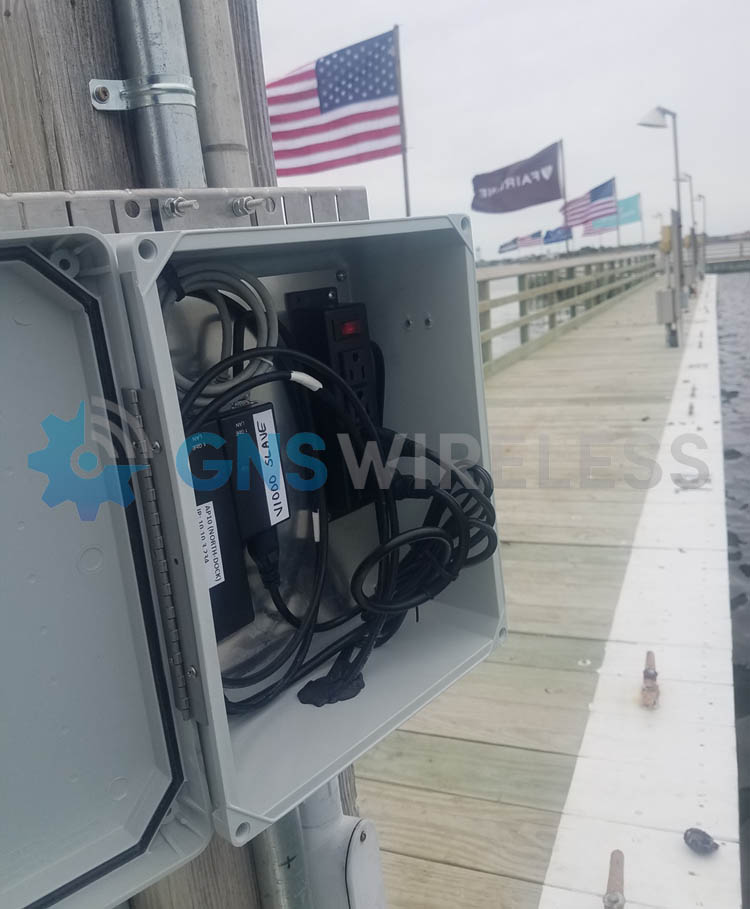
Always choose an enclosure based on more than just today’s hardware. A properly sized outdoor enclosure for WiFi equipment should allow room for:
-
PoE injectors or power supplies
-
Cable management and grounding
-
Future network expansion
Oversized enclosures improve airflow and make maintenance easier, especially for multi-device installations.
Ventilation and Thermal Management
Active networking hardware generates heat. For many deployments, an outdoor PoE switch enclosure benefits from passive vents or active cooling. Thermal management helps maintain safe operating temperatures and prevents heat-related performance issues.
Mounting and Security Options
Outdoor network enclosures should support wall mounting, pole mounting, or structure mounting depending on the installation site. Lockable doors and tamper-resistant hardware add an extra layer of protection in public or remote locations.
Choosing the Best Enclosure for Your Outdoor Network
Enclosures for Outdoor Wi-Fi Access Points
Smaller outdoor enclosures for wireless access points are ideal for protecting individual radios or compact devices. These are commonly used for:
-
Outdoor Wi-Fi coverage areas
-
Directional wireless links
-
Point-to-point and point-to-multipoint radios
Compact enclosures provide protection without unnecessary bulk.
Enclosures for PoE Switches and Power Equipment
Mid-sized outdoor enclosures with power are designed to house multiple devices, including switches, injectors, and power supplies. These are often used in distributed network layouts where power and switching need to be located outdoors near access points. Power outlets are already located inside the box, so wiring is quick and easy. It also keeps your setup nice and tidy.
Large Outdoor Network Cabinets and Telecom Enclosures
For larger deployments, a full outdoor network cabinet may be required. These enclosures support:
-
Multiple switches and power systems
-
Fiber termination and patch panels
-
Batteries and surge protection devices
They are commonly used in industrial facilities, large campgrounds, marinas, and municipal networks.
Installation Best Practices for Outdoor Network Enclosures
To get the most from your enclosure:
-
Use proper cable glands to maintain weatherproof seals
-
Ground all equipment according to electrical codes
-
Avoid direct sun exposure when possible to reduce heat load
-
Plan cable entry points before drilling or mounting
Even the best weatherproof enclosure with power can fail if installation details are overlooked.
Final Thoughts: Keeping Outdoor Networks Reliable
A well-designed outdoor network starts with proper protection. Choosing the right outdoor network enclosure ensures your Wi-Fi, switching, and wireless equipment performs reliably in harsh environments while minimizing maintenance and downtime.
By focusing on correct ratings, proper sizing, ventilation, and secure mounting, you can deploy outdoor networking equipment with confidence — knowing it’s protected for the long haul.
If you’re planning an outdoor installation, selecting the right enclosure isn’t optional — it’s foundational.
Need help choosing the right outdoor network enclosure?
Explore our full line of weatherproof outdoor enclosures or contact our team for assistance selecting the best solution for your application. (877) 209 – 5152
Outdoor Network Enclosures – Frequently Asked Questions
What size outdoor network enclosure do I need?
The right enclosure size depends on the type and quantity of networking equipment being installed. For single devices like a Wi-Fi access point or wireless bridge, smaller enclosures may be sufficient. Installations that include PoE switches, injectors, power supplies, or future expansion typically require larger enclosures to allow for airflow and cable management.
Common sizes include 14x10x4, 14x12x7, 18x16x8, and 20x16x11, each suited to different outdoor networking applications.
What equipment fits inside a 14x10x4 outdoor enclosure?
A 14x10x4 weatherproof enclosure is ideal for compact installations such as:
-
A single outdoor Wi-Fi access point
-
Small wireless radios or bridges
-
PoE injectors or low-profile power supplies
This size works well when space is limited and heat output is minimal.
When should I use a 14x12x7 outdoor network enclosure?
A 14x12x7 outdoor network enclosure offers additional depth and airflow, making it suitable for:
-
Wi-Fi access points with PoE injectors
-
Small unmanaged PoE switches
-
Outdoor wireless bridge equipment
It’s a popular choice for pole-mounted or wall-mounted outdoor Wi-Fi installations.
What is a good use case for an 18x16x8 outdoor enclosure?
An 18x16x8 outdoor enclosure is commonly used when housing multiple network components, such as:
-
PoE switches and power supplies
-
Wireless controllers or gateways
-
Network surge protection and grounding hardware
This size provides room for cable routing, ventilation, and future upgrades. If your cable modem is coming into the park on a pole, and you want the modem, router and maybe a POE switch to be housed inside, this sized enclosure would be perfect. It will allow air flow, ease of cable management, and when you open the lid, components wont fall out.
When is a 20x16x11 outdoor network cabinet recommended?
A 20x16x11 outdoor network enclosure is best for larger or more complex outdoor network deployments. Typical use cases include:
-
Multi-port PoE switches
-
Fiber termination panels
-
Batteries, controllers, and power distribution
These larger enclosures are often used in campgrounds, marinas, industrial sites, and distributed outdoor networks.
Do outdoor network enclosures need ventilation or cooling?
Yes. Many outdoor network installations benefit from ventilation or active cooling, especially when housing PoE switches or multiple devices. Larger enclosures, such as 18x16x8 or 20x16x11, provide more internal air volume and are better suited for fans or vent kits.
What NEMA rating is best for outdoor network enclosures?
Most outdoor networking applications require NEMA 3R, NEMA 4, or NEMA 4X enclosures.
-
NEMA 3R works for basic outdoor exposure
-
NEMA 4 / 4X provides enhanced protection against wind-driven rain, dust, and corrosion
Choosing the correct rating helps protect network equipment and ensures long-term reliability.
Can outdoor enclosures include power inside?
Yes. Many outdoor network enclosures are available with integrated 120V or 240V power options, allowing PoE switches, injectors, and power supplies to be safely installed inside the enclosure without exposed wiring.
Is it better to oversize an outdoor network enclosure?
In most cases, yes. Selecting a slightly larger enclosure improves airflow, simplifies installation, and allows room for future expansion. Oversizing is especially recommended when installing PoE switches or multiple networking devices outdoors.
Where are outdoor network enclosures commonly used?
Outdoor network enclosures are widely used in:
-
Campgrounds and RV parks
-
Marinas and waterfront facilities
-
Farms and agricultural properties
-
Industrial yards and warehouses
-
Outdoor security and surveillance systems
They provide reliable protection for network equipment in environments where indoor installation is not possible.
The SX3-1021A-QB-US QuickBridge is a powerful, license-free 5 GHz point-to-point wireless bridge.
This commercial grade link is designed for organizations that need fast deployment, high reliability, and zero recurring fees.
At GNS Wireless, we supply, support, and deploy the SX3 QuickBridge for customers who want fiber-like performance—without the cost and disruption of trenching.
Why Choose the SX3-1021A-QB-US?
Unlike consumer or cloud-locked wireless bridges, the SX3 QuickBridge is built for industrial and commercial environments where uptime matters.
Key Advantages
-
Factory-paired radios (plug-and-play deployment)
-
Secure, encrypted wireless link
-
License-free 5 GHz operation
-
Designed for outdoor, all-weather installations
-
No subscriptions, no forced cloud management
Once installed, the link functions as a transparent Ethernet extension—simple, fast, and dependable.
SX3 QuickBridge Technical Highlights
-
Frequency Band: 5 GHz (license-free)
-
Configuration: Pre-paired QuickBridge kit
-
Security: Encrypted wireless link
-
Installation: Outdoor-rated, PoE powered
-
Applications: Cameras, LAN extension, VoIP, internet backhaul
This makes it ideal for both permanent infrastructure and rapid deployments where time matters.
Common Applications
-
Building-to-building network extension
-
Warehouse and yard connectivity
-
Farm, industrial, and utility sites
-
Schools, campuses, and commercial facilities
-
Temporary construction or event networks
Why Buy from GNS Wireless?
When you purchase the SX3-1021A-QB-US from GNS Wireless, you get more than hardware:
-
✔ Pre-sale design assistance
-
✔ Real-world installation guidance
-
✔ Optional turnkey deployment services
-
✔ U.S.-based technical support
-
✔ No upsells, no licensing traps
We make sure the link works before it ships, not after you’re on a ladder.
Order the SX3-1021A-QB-US Today
👉 SX3-1021A-QB-US QuickBridge – Available Now
Need help confirming distance, mounting height, or line-of-sight?
Contact GNS Wireless for a free consultation before you buy.
FAQ Section
SX3-1021A-QB-US QuickBridge – Frequently Asked Questions
What is included in the SX3-1021A-QB-US QuickBridge kit?
The kit includes two factory-paired outdoor radios designed to form a secure, point-to-point wireless link immediately after installation.
Is the SX3 QuickBridge pre-configured?
Yes. The radios ship pre-paired from the factory, eliminating complex setup and reducing installation time.
Does the SX3 QuickBridge require licensing or monthly fees?
No. The SX3-1021A-QB-US operates in license-free spectrum and does not require subscriptions, cloud access, or recurring fees.
What applications can the SX3 QuickBridge support?
It supports internet backhaul, IP cameras, VoIP, building-to-building LAN extension, and other high-throughput network traffic.
Is the SX3 QuickBridge suitable for outdoor use?
Yes. The system is designed for permanent outdoor installations and harsh environmental conditions.
Can the SX3 QuickBridge replace fiber?
In many scenarios, yes. It provides fiber-like performance without trenching, making it ideal for industrial and commercial sites.
Why buy the SX3 QuickBridge from GNS Wireless?
GNS Wireless provides design support, real-world deployment expertise, and U.S.-based technical assistance—ensuring the system works before and after installation.
Looking for point-to-point wireless installation at your site? Contact GNS Wi-Fi and let us plan your next wireless network the right way.
We recently completed a point-to-point wireless installation for a local scrap yard, and the feedback from their team highlights exactly why so many industrial facilities trust GNS Wireless for dependable outdoor connectivity:
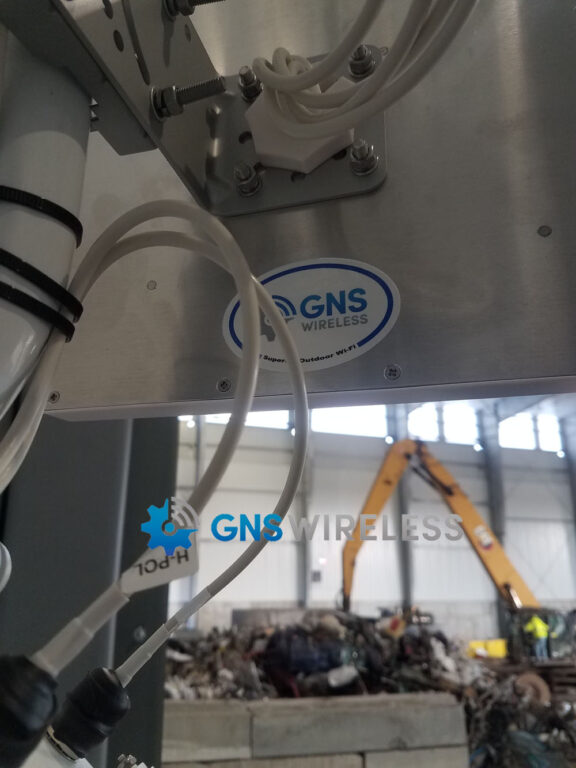
“This point-to-point system from GNS Wireless is fantastic. We’ve worked with other brands in the past, and most required ongoing subscription fees just to keep the equipment functional. With GNS, that’s no longer an issue. Once you purchase the hardware, it’s yours—no recurring costs, no cloud dependencies, and no hidden fees.
In our scrap yard environment, privacy and reliability are crucial. GNS keeps everything local, giving us complete control over our network and improved security without routing data through a third-party cloud.
The performance has exceeded expectations. Throughput is strong and consistent across the entire yard, even with heavy equipment running and multiple systems connected. Our cameras, software, and streaming devices all operate smoothly and without interruption.
One of the biggest improvements has been our ability to synchronize Dropbox without any delays or timeouts, something that was impossible before upgrading the link. File sharing between office and yard staff is now seamless and immediate.
The installation was quick and straightforward. The link aligned easily, locked in immediately, and has been rock-solid ever since. It’s one of the simplest and most reliable setups we’ve deployed on-site.
We couldn’t be happier with the results.”
— Operations Manager, Local Scrap Yard
Ready to upgrade your operations? Contact GNS Wireless for a custom point-to-point wireless installation designed for your site. (877) 209-5152
Why Campground Wi-Fi Is No Longer Optional

In 2025, fast, reliable Wi-Fi is as important to campers as clean restrooms and hot showers. Guests expect to stream, work remotely, check maps, and control smart locks — all at once.
If your park still runs on outdated repeaters or consumer routers, guests will notice. And they’ll remember it in reviews. The good news? A properly designed campground Wi-Fi system can transform your property into a five-star experience — without a five-figure budget.
1. Evaluate Your Existing Setup
Before upgrading, take stock of what’s in place:
-
Are you using consumer routers rather than outdoor access points?
-
Do you have line-of-sight coverage from your office to cabins or RV rows?
-
Are guests crowding one AP or complaining of buffering during peak hours?
These issues are common — and they’re solvable. The key is in the details. Are you using antiquated WDS mode, which simply repeats the signal from one AP to another? Do you have a point-to-multipoint (PtMP) or mesh layout as your backbone, connecting AP locations using professional-grade antennas?
2. Choose the Right Backbone — 60 GHz or 5 GHz?
If your cabins or sites are within 1000 ft of the main office, a 60 GHz bridge like the GNS-5660 would be recommended for PTP, which means you would be connecting an office building, to a remote bath house. For a more expanded coverage, where you have multiple access points throughout the campground, a 60 GHz point to multipoint would be recommended. This however, would depend on your line of sight, and how many trees, or other obstacles are in the way. Too many trees…then go with a 5 GHz backbone.
For longer distances or mild tree cover, a 5 GHz link in combination with an 802.11AX access point such as the GNS-7664-ELR offers strong penetration and range. Many parks combine both — 60 GHz for short high-speed hops, 5 GHz for longer runs.
3. Deploy Outdoor Access Points Built for Campgrounds
Once your backbone is in place, distribute coverage using enterprise-grade outdoor APs like the Cambium XV2-23T.
Features that make a difference:
-
Dual-band Wi-Fi 6 for speed and capacity.
-
Weatherproof housings for year-round use.
-
Centralized management via cloud controller or local gateway.
Mount access points high (12–15 ft) and ensure overlapping coverage across loops and cabin rows.
4. Powering the Network Efficiently
Outdoor systems need reliable power — not extension cords.
Use PoE (Power over Ethernet) with outdoor-rated switches or the RPS2424-100-170 power system for 24 V applications. This allows you to:
-
Run both data and power on one cable.
-
Simplify installation and maintenance.
-
Protect equipment from surges and voltage drops.
5. Design for Scalability and Guest Satisfaction
A modern campground Wi-Fi system should grow with your property. Leave headroom for:
-
Additional APs as occupancy increases.
-
Future Wi-Fi 7 upgrades.
-
Smart-lock and camera integration.
Even a small 10-site campground can benefit from segmenting traffic (guest vs. admin) and using VLANs for security and reliability.
Real-World Example
A 35-site park in northern Michigan upgraded with a few GNS-7664-ELR dual radio access points and three 60 GHz PTP backhauls. Guests now enjoy uninterrupted 4K streaming — even on rainy weekends — and management uses cloud dashboards to monitor performance remotely. Complaints dropped to zero within the first week.
6. Partner with GNS Wireless
Whether you need a full design or just want advice on placement and power, GNS Wireless provides:
-
Free consultation and site surveys
-
Pre-configured APs and bridges
-
North American support you can call directly
Ready to Upgrade your Wi-Fi?
Ready to make 2025-2026 the year your guests stay connected — and stay longer?
📞 Call (877) 209-5152 or email support@gnswireless.com
Need reliable Wi-Fi between buildings or across your property? The GNS-5420AC 5 GHz bridge delivers long-range performance for homes, farms, and small businesses — no trenching or monthly fees required.
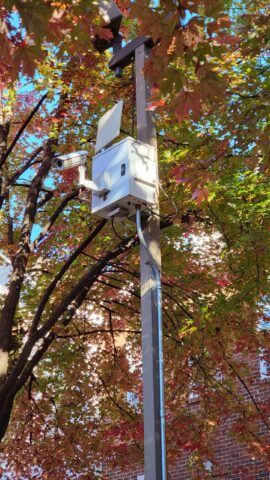
Sometimes your network stops right where you need it most — at the end of the driveway, across the yard, or at the barn. Running Ethernet or fiber isn’t always practical or affordable, and Wi-Fi repeaters just don’t reach far enough. That’s where the GNS-5420AC 5 GHz wireless bridge steps in: a simple, weatherproof way to deliver high-speed connectivity up to a mile, without digging, apps, or headaches.
Why 5 GHz Bridges Still Matter
While new bands like 60 GHz and 80 GHz get attention for high capacity, PTP backhauls, 5 GHz remains the most flexible for long-range line-of-sight and near line of sight PTP links. It punches through light foliage better than 60 GHz and supports high throughput for data, video, or cameras.
With properly aligned directional antennas, the GNS-5420AC can carry 300 – 700 Mbps throughput across open terrain — ideal for connecting:
-
A home to a shop or barn
-
Security cameras on remote buildings
-
Guest houses, garages, or gates
-
Outdoor APs in RV parks or campgrounds
Real-World Performance
Customers consistently report stable links beyond ½ mile – even in light tree cover – thanks to the 5420AC’s dual-band AC radio and advanced modulation. Paired with a 16 dBi directional antenna, and upgradable to a 21 dBi antenna…with shielded Cat6 outdoor cable, this setup easily handles streaming, VoIP, and cloud apps simultaneously.
Installation Made Simple
-
Mount each unit with clear line of sight.
-
Connect via 24V PoE injector or PoE switch.
-
Assign unique IPs in the same subnet (e.g., 192.168.1.x).
-
Aim antennas until signal > -60 dBm.
-
Lock channels in DFS-free range to avoid interference.
Power draw is minimal — about 8 W — making it easy to run off a 24 V power system like the RPS2424-100-170 when AC isn’t available.
Why Choose the GNS-5420AC
-
5 GHz AC Performance: Dual-chain radio for higher throughput.
-
Weatherproof Enclosure: Built for outdoor mounting.
-
Simple Pairing: Pre-configured bridging for plug-and-play operation.
-
Affordable: Half the cost of enterprise links without performance loss.
-
Flexible Power: Runs on 24 V PoE for remote deployments.
Example Use Case
A customer in northern Pennsylvania needed connectivity from his main office to a metal workshop 700 feet away behind tree cover. Running trench fiber would cost over $4,000. Using a pair of GNS-5420AC bridges, mounted on 8-foot poles and powered by PoE injectors, they achieved consistent speeds of ~450 Mbps for CAD uploads and camera feeds — all for under $800 total.
If you need to extend Wi-Fi to a barn, shop, or remote building, the GNS-5420AC 5 GHz Bridge is your best long-range solution.
✅ Shop Now: https://www.gnswireless.com/product/gns-5420ac
Industry: Construction & Heavy Equipment
Location: Midwest USA
Products Used: GNS 5 W 900 MHz Amplifier, 6 dBi Omni Antenna, N-Male to N-Female Coax Cable, RP-TNC Adapter Kit

The Challenge
A local excavation company relied on wireless data communication between a base station and an excavator equipped with GPS and telemetry sensors. The distance between the base and the machine was roughly ½ mile, but due to large dirt piles, dust, and constant movement, the line-of-sight signal was unreliable.
The customer needed a solution that could:
-
Maintain strong, consistent communication through obstacles and heavy dust
-
Support 12 V or 24 V operation from on-site power sources
-
Extend range beyond the current limit, ideally to 1 mile or more
-
Operate in the 900 MHz band, which is proven for long-range, non-line-of-sight transmission
The GNS Solution
After discussing site conditions and equipment specifications, the GNS technical team recommended the GNS-AMP900-5W, a 5-watt 900 MHz amplifier designed for rugged outdoor environments.
The amplifier connects inline between the radio and antenna using low-loss LMR-400 coaxial cable with N-male and N-female connectors. For radios using RP-TNC interfaces, RP-TNC to N-type adapter kits are available directly from GNS Wireless, ensuring plug-and-play compatibility with existing gear.
Because the amplifiers operate at 12 VDC, they can draw power directly from most vehicle or equipment sources. For 24 VDC systems, GNS supplied a DC-DC voltage converter, delivering the proper regulated power to the amplifier without modification.
The Results
After installing the 5 W amplifier and pairing it with a 6 dBi 900 MHz omni-directional antenna on the excavator, the signal strength immediately improved. Even when the excavator moved behind dirt piles, connection to the base station remained stable.
Signal testing showed:
-
Range extended from 0.5 mile to over 1 mile
-
RSSI improved by 12 dB, resulting in fewer packet drops
-
Reliable operation even in areas with moderate obstructions
In follow-up discussions, the customer noted that the system was now “rock solid”, with seamless data transfer between the excavator and base station — even while in motion. The result was increased productivity and zero downtime due to signal loss.
Scalable Power Options for Every Application
GNS Wireless offers a complete line of 900 MHz amplifiers for industrial and agricultural communications:
-
1 W Amplifier – Ideal for short-range telemetry, remote sensors, or small farm automation networks.
-
5 W Amplifier – Excellent for mobile equipment like excavators, tractors, or remote pumps within 1–2 miles.
-
10 W Amplifier – Provides even greater range and signal penetration through trees, terrain, or light structures.
-
20 W Amplifier – Designed for fixed base stations or long-range point-to-point systems that demand maximum output power.
Each amplifier is FCC-compliant, supports 12 VDC input, and can be paired with a 24 VDC voltage converter supplied by GNS Wireless.
The Takeaway
When reliable communication matters — whether across a construction site, farm, or industrial yard — GNS Wireless 900 MHz amplifiers deliver the range and reliability you need. With rugged construction, simple installation, and custom power options, they’re the perfect upgrade for any long-range wireless system facing line-of-sight challenges.
Ready to extend your range?
Call GNS Wireless at (877) 209-5152 or visit gnswireless.com to explore the full line of 900 MHz amplifiers, antennas, and coaxial accessories.
How to Boost Wi-Fi Internet Coverage for Cabins, RV Parks, and Small Resorts
If you’re running a campground, RV park, or small resort, reliable Wi-Fi isn’t just a nice perk — it’s a necessity. From smart locks and streaming TVs to guests using multiple devices, your network needs to handle it all without slowing down.
We get questions like this every week:
“I need something to boost my internet signal. Currently the main hub is at the owner’s house but will be moving it to the store. The 13 cabins and pavilion all have internet TV and remote locks. The internet service is 2 Gb fiber. The original system was set up before we had the store and had only 6 cabins. The last 6 cabins do not get steady or very good internet, and when we’re full with RVers, no one else gets internet. The main concern is making sure the cabins get enough internet for the TVs and locks. We’re a small park with a small budget and IT department.”
This is one of the most common challenges we solve at GNS Wireless — extending a strong, consistent internet signal from one central hub to every cabin, pavilion, and RV site on the property.
The Problem: Outgrown Networks and Weak Coverage
Many campgrounds and parks start small. When you add more cabins, RV sites, or a new store, the original Wi-Fi setup just can’t keep up.
Common symptoms include:
-
Far-away cabins lose connection or buffer constantly.
-
Guests complain that streaming doesn’t work when the park is full.
-
Smart locks or thermostats go offline.
-
Your internet speed tests great at the main building — but drops off fast elsewhere.
When you already have fast fiber internet but poor coverage, it’s not your internet provider — it’s your network design.
The Solution: GNS-7664-ELR Outdoor Wireless Access Point
For small parks that need wide, reliable coverage without a complicated setup, the GNS-7664-ELR is the go-to choice.
This weather-sealed, high-power access point is built specifically for campgrounds, cabins, RV parks, and small outdoor facilities that need professional-grade Wi-Fi on a budget.
🔹 Key Benefits
-
Long-Range Coverage: Designed for outdoor use with extended reach across cabins, pavilions, and RV areas.
-
High-Speed Performance: Dual-band Wi-Fi 6 delivers gigabit speeds — perfect for streaming, smart locks, and guest devices.
-
Supports Multiple Users: Handles dozens of simultaneous connections without slowdowns.
-
Easy Integration: Works seamlessly with your existing router or gateway — no complex controller required.
-
Rugged Design: Weatherproof IP67 enclosure built for year-round outdoor operation.
One or two GNS-7664-ELR units can cover a cluster of cabins or an RV loop, depending on line-of-sight and layout. Larger parks can simply add more access points for blanket coverage.
How It Works
-
Start at Your Internet Source – Mount one GNS-7664-ELR near your main hub or store where the fiber terminates.
-
Add Additional Access Points – Extend Wi-Fi to cabins or RV sites with one or two additional units strategically placed on poles or buildings.
-
Connect via Ethernet or Point-to-Point Links – Use outdoor cabling or a GNS wireless bridge kit to connect remote access points back to the main router.
-
Enjoy Full-Site Wi-Fi – Each cabin and RV site now receives a strong, stable signal for TVs, smart locks, and guest devices.
Why It Works for Small Parks
The GNS-7664-ELR is designed to make high-end Wi-Fi simple and affordable:
-
No software licensing fees.
-
No expensive controllers.
-
Just plug it in, configure your SSID, and go live.
With 2 Gb fiber service, your internet is more than capable — you just need to distribute that bandwidth evenly to all corners of your property. The GNS-7664-ELR does exactly that.
Typical Setup Example
-
Main Internet Hub (Store or Office): Fiber modem + router
-
Outdoor AP #1: GNS-7664-ELR mounted near main office, covering nearby cabins
-
Outdoor AP #2: GNS-7664-ELR mounted mid-property or near pavilion
-
Outdoor AP #3 (Optional): Covers far-end cabins or RV rows
If cabling isn’t possible between access points, use a GNS-1153AC wireless bridge kit, or even faster, GNS-5660 for gigabit connectivity…to extend the network wirelessly without losing performance.
Results You Can Expect
✅ Strong, consistent signal across all cabins
✅ Stable internet TV and smart lock connectivity
✅ Happier guests and fewer IT headaches
✅ No need to upgrade your existing fiber plan
Even on a small budget, this setup provides enterprise-level coverage that scales as your park grows.
Recommended Products
Ready to Fix Your Wi-Fi Once and for All?
If your cabins, pavilions, or RV sites struggle with weak or unreliable internet, the GNS-7664-ELR is the perfect solution — reliable, affordable, and built for outdoor performance.
📞 Call (877) 209-5152 or visit gnswireless.com
Replace Cellular Data with Outdoor Wi-Fi Coverage
Industrial facilities, logistics yards, and warehouse operations depend on tablets, scanners, and spotter trucks to keep daily tasks running smoothly. But when every device relies on a cellular data plan, monthly costs can skyrocket.
More and more companies are choosing to replace cellular data service with private outdoor Wi-Fi networks — owned, managed, and secured in-house. At GNS Wireless, we specialize in designing these large-area networks that cover entire yards, loading zones, and staging areas with reliable, enterprise-grade connectivity.
The Challenge: Reliable Wi-Fi Across a Large Yard
Many facilities have strong indoor Wi-Fi that stops at the warehouse walls. Beyond that, coverage fades — leaving field teams and mobile devices dependent on cellular. The challenge is to extend the corporate network outdoors, across acres of open lot, while maintaining performance inside steel-frame structures and vehicle cabs.
To achieve this, a facility needs:
-
Seamless coverage from the control center to every work zone
-
Low-latency connections for tablets, scanners, and IoT devices
-
Signal penetration through steel-strand or insulated buildings
-
Scalability for additional access points and expansion zones
The GNS Wireless Solution: Point-to-Multipoint (PtMP) Backbone + Remote Outdoor Access Points

Instead of installing multiple isolated links, the most efficient way to blanket a large yard with Wi-Fi is to use a point-to-multipoint (PtMP) wireless system.
A single PtMP base station located near your network core delivers connectivity to multiple subscriber radios mounted on poles throughout the property. Each subscriber radio feeds a remote outdoor access point, creating localized coverage zones that overlap for seamless roaming.
PtMP Wireless Backbone (5 GHz or 60 GHz)
-
60 GHz Gigabit Links: Ideal for clean line-of-sight, interference-free backhaul between your MCC or network core and remote AP locations.
-
5 GHz Industrial Links: Perfect for longer or partially obstructed paths, offering excellent range and reliability even around steel structures or trailers.
Recommended hardware:
Remote Outdoor Access Points
Each PtMP subscriber radio connects to a Wi-Fi 6 outdoor access point mounted nearby — typically on existing light poles or building corners. Together, these APs form a mesh-like coverage pattern across the entire yard.
Key Features:
-
Dual-band Wi-Fi 6 (2.4 GHz + 5 GHz) for modern handhelds and vehicle devices
-
802.11 k/v/r fast-roaming support for seamless handoff between zones
-
VLAN segmentation for corporate, operations, and guest access
-
IP67-rated housings built to withstand weather and vibration
Why a PtMP Approach Works Best
For sprawling facilities and logistics operations, PtMP architecture offers the best balance of performance, scalability, and cost efficiency.
-
Centralized Backhaul: One base radio feeds multiple zones, minimizing wiring and simplifying network management.
-
Reduced Infrastructure Cost: Fewer bridge pairs mean lower equipment and installation costs compared to multiple PtP links.
-
Seamless Roaming: Devices move freely across access point zones without losing connection.
-
Scalable Expansion: Adding coverage is as simple as mounting another subscriber and access point.
-
Lower Latency & Higher Throughput: 60 GHz and 5 GHz technologies deliver gigabit-class performance across large properties.
Coverage Design
-
Base Station: Mounted near the network core or MCC with clear line-of-sight to yard poles.
-
Subscriber Radios: Installed on strategic poles throughout the property, each providing backhaul to one or two outdoor APs.
-
Access Points: Positioned for overlapping coverage across loading docks, drive lanes, and staging areas.
-
Power & Protection: Each pole equipped with PoE power, NEMA enclosure, and surge suppression for reliability.
The result is a unified outdoor network that extends your existing LAN — without trenching, fiber pulls, or recurring cellular fees.
Results: Lower Costs and Higher Control
By transitioning from cellular to a private Wi-Fi infrastructure, organizations typically achieve:
-
Immediate cost savings on monthly data plans
-
Centralized IT management and stronger data security
-
Improved reliability for yard management and logistics software
-
Scalable growth for new lots, poles, or connected devices
Ready to Eliminate Cellular Costs?
If your facility operates across a large outdoor yard or multi-building campus, GNS Wireless can design a custom PtMP Wi-Fi system that keeps every device connected — without paying a carrier every month.
📞 Call (877) 209-5152 or visit gnswireless.com